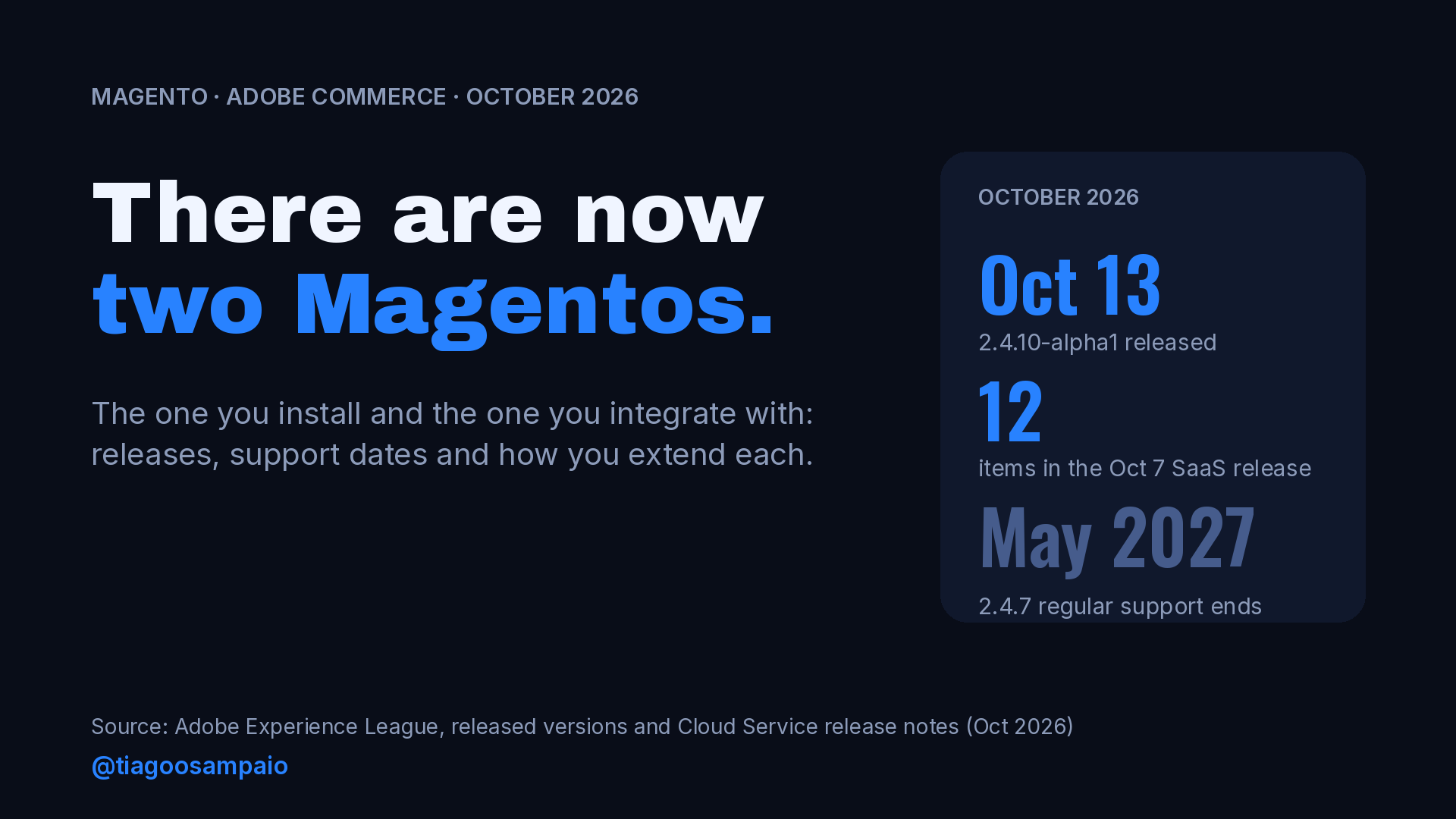
On October 13, 2026, Adobe released Magento 2.4.10-alpha1, the first public build of the next release line of Magento Open Source and Adobe Commerce. Six days earlier, Adobe Commerce as a Cloud Service had shipped its first October update, with twelve new items in the release notes. On October 20, the next Cloud Service release reaches production.
Same name, same roots, two very different rhythms. One Magento gets a new release line roughly once a year, and you install it, patch it and extend it with PHP. The other updates all year long, Adobe runs it for you, and you can’t install a PHP module on it at all.
I have worked with Magento for more than 15 years, and this is the biggest split in how we work since the jump from Magento 1 to Magento 2. In this post I go through what each side looks like today, how extensions are built on each one, what the October releases tell us, and what I think a Magento developer should do about it.
Two products that share a name
Here is the short version of the two platforms, based on Adobe’s own documentation.
| The Magento you install | The Magento you integrate with | |
|---|---|---|
| Products | Magento Open Source, Adobe Commerce on-prem, Adobe Commerce on Cloud (PaaS) | Adobe Commerce as a Cloud Service (SaaS) |
| Who runs the application | You, your host or Adobe’s PaaS, with your code deployed on it | Adobe |
| Core code | Yours to extend with modules, plugins, observers and preferences | Closed. Merchants cannot modify core application code |
| Upgrades | Your project: plan, test and deploy each release line and patch | Adobe updates the service continuously |
| Custom logic | In-process PHP, plus out-of-process if you want | Out-of-process: App Builder, API Mesh, events, webhooks, APIs |
| Storefront | Luma, Hyvä, headless, whatever you build | Rebuilt on Edge Delivery Services (Commerce Storefront) |
The last two rows are where the daily work changes. Adobe’s migration guide is direct about it: customizations don’t move as-is. They run as out-of-process App Builder applications, so in-process PHP modules, plugins and observers must be redesigned. Even third-party extension data that lives in custom tables is not handled by the standard data migration and needs an App Builder customization.
An interesting detail: on September 8, 2026, the Cloud Service was updated to 2.4.9 and now includes all changes from Adobe Commerce 2.4.9. The two products still share a codebase underneath. What differs is who owns the code at runtime and how you are allowed to touch it.
The classic platform: 2.4.10 and the support calendar
On the classic side, 2.4.10-alpha1 is the start of the next release line. Adobe’s versions page lists the alpha but gives no beta or GA dates yet, and the end-of-support date for 2.4.10 “has not been set yet”. There are no public release notes for the alpha, so I won’t guess what is inside it.
Looking at past dates, the rhythm is easy to see: 2.4.7 came out on April 9, 2024, 2.4.8 on April 8, 2025, and 2.4.9 on May 12, 2026. About one release line per year, with patch releases (the -pN versions) in between.
The support dates matter more than the new features, because they decide what your clients have to do next:
| Release line | Released | Latest patch | Regular support ends | Extended support ends |
|---|---|---|---|---|
| 2.4.9 | May 12, 2026 | 2.4.9 | May 31, 2029 | Not listed |
| 2.4.8 | April 8, 2025 | 2.4.8-p5 | May 31, 2028 | Not listed |
| 2.4.7 | April 9, 2024 | 2.4.7-p10 | May 31, 2027 | May 31, 2028 |
| 2.4.6 | March 14, 2023 | 2.4.6-p15 | Ended August 11, 2026 | August 31, 2027 |
| 2.4.5 | August 9, 2022 | 2.4.5-p17 | Ended August 12, 2025 | Ended August 11, 2026 |
Adobe also lists an “additional security fixes provisioning” date for the oldest lines: May 31, 2028 for 2.4.6 and May 31, 2027 for 2.4.5. The page doesn’t explain the terms of that window, so I’d read the lifecycle policy before promising anything to a client based on it.
The practical reading is simple. If a store is on 2.4.6 today, regular support is already over. If it is on 2.4.7, regular support ends in about seven months. Both conversations should start now, not in the month before the date.
A quick way to see exactly where a project stands:
# Installed version of the core package
bin/magento --version
composer show magento/product-community-edition | grep -E '^versions'

# For Adobe Commerce projects
composer show magento/product-enterprise-edition | grep -E '^versions'
The Cloud Service: a release every couple of weeks
The other Magento doesn’t have release lines you choose. Adobe publishes release notes and rolls updates to sandbox first, then production. Between August and October 2026 the notes list one release in August, two in September and two in October so far.
The October 7 release alone had twelve items. A few that show the direction:
- Catalog price rules in REST. New endpoints let integrations manage and search catalog price rules, protected by the
Magento_CatalogRule::promo_catalogpermission. - Transactional emails through third-party platforms. New events let an App Builder app send transactional emails from a third-party email platform.
- Bulk API limits. The Bulk API now enforces a maximum number of entities per request, and requests above the limit return an error.
- Smaller ones: company details in the shipping rates webhook, scheduling catalog price rules by date and time, adding cart items at a custom price, and isolating admin-created carts from storefront carts.
The catalog price rule endpoints are a good example of how the SaaS side grows: new capability arrives as API surface, not as a module you install. The documented endpoints are:
GET    /V1/catalogPriceRules/metadata    # allowed actions and condition attributes
GET    /V1/catalogPriceRules/search      # standard searchCriteria
GET    /V1/catalogPriceRules/:ruleId     # one rule with its full condition tree
POST   /V1/catalogPriceRules             # create
PUT    /V1/catalogPriceRules/:ruleId     # update, send only the fields you change
DELETE /V1/catalogPriceRules/:ruleId     # delete
A search call uses the same searchCriteria syntax we have used in Magento REST for years. This is my example, not one from Adobe’s notes:
curl -s -G "https://<your-store>/rest/V1/catalogPriceRules/search" \
  -H "Authorization: Bearer $TOKEN" \
  --data-urlencode "searchCriteria[filterGroups][0][filters][0][field]=is_active" \
  --data-urlencode "searchCriteria[filterGroups][0][filters][0][value]=1" \
  --data-urlencode "searchCriteria[pageSize]=20"
The email events are a good example of the other half of the model. On the classic platform, if a client wanted store credit notifications sent through their email provider, you would probably write a module that intercepts the email. On the Cloud Service, Commerce emits an event and your app does the sending. The release notes list four new events for this, including observer.customer_balance_save_after (add a rule where notify_by_email equals 1 to get one event per store credit email), observer.giftcard_item_email_send_after, and plugin.customer.api.account_management.activate.
How you extend each one
This is the section that matters most for developers, because the mental model is different.
In-process: the Magento we know
On the classic platform, your code runs inside the Magento process. A plugin wraps a public method, an observer reacts to an event, a preference replaces a class. It is fast and you can reach almost anything. The cost is that your code is coupled to core internals, and every upgrade is a test of that coupling.
Out-of-process: events
Adobe I/O Events for Adobe Commerce sends Commerce events to Adobe I/O, which routes them to an App Builder application. It is asynchronous: Commerce doesn’t wait for your app. Adobe’s own guidance says that when asynchronous communication is enough, events are the better choice.
On PaaS you subscribe from the command line and choose which fields go into the payload:
bin/magento events:subscribe observer.catalog_product_save_after --fields=sku --fields=stock_data.qtyEvent names follow the same pattern as webhooks: an observer. prefix for Magento observer events and a plugin. prefix for service methods, for example plugin.magento.sales.api.order_management.place.
Out-of-process: webhooks
Webhooks are the synchronous side. Commerce calls your endpoint, waits for the answer and uses it. Typical cases are stock checks, tax calculation or validating a product before it goes into the cart.
Your endpoint answers with an operation. The documented operations are success, exception, add, replace and remove. The simplest answer lets the process continue:
{
  "op": "success"
}
And a modifying answer changes a value in the payload, for example a shipping amount:
{
  "op": "replace",
  "path": "result/shipping_methods/shipping_method_one/amount",
  "value": 6
}
Here is where the two Magentos differ even with the same feature. On PaaS, webhooks are configured in XML: in a module’s etc directory, or in app/etc/webhooks.xml for the merchant. The skeleton below is mine, built from the elements and attributes in Adobe’s configuration reference:
<config xmlns:xsi="http://www.w3.org/2001/XMLSchema-instance"
        xsi:noNamespaceSchemaLocation="urn:magento:module:Magento_AdobeCommerceWebhooks:etc/webhooks.xsd">
    <method name="observer.checkout_cart_product_add_before" type="after">
        <hooks>
            <batch name="cart_validation">
                <hook name="validate_stock"
                      url="https://example.com/product-validate-stock"
                      timeout="2000"
                      softTimeout="200"
                      required="true"
                      fallbackErrorMessage="Can't add the product to the cart right now">
                    <fields>
                        <field name="product.sku" source="data.product.sku"/>
                    </fields>
                </hook>
            </batch>
        </hooks>
    </method>
</config>
On the Cloud Service there is no XML file to deploy. You subscribe through REST, with a POST to /V1/webhooks/subscribe. A trimmed version of Adobe’s example:
{
  "webhook": {
    "webhook_method": "observer.checkout_cart_product_add_before",
    "webhook_type": "after",
    "batch_name": "add_product",
    "hook_name": "validate_product",
    "url": "https://<host>.com/validate-product-add",
    "required": true,
    "timeout": 2000,
    "soft_timeout": 1000,
    "fallback_error_message": "Unable to validate product",
    "fields": [
      { "name": "name", "source": "data.product.name" },
      { "name": "price", "source": "data.product.price" }
    ]
  }
}
Same concept, same fields, different delivery. On one side it is a file in your repository and a deploy. On the other it is an API call against a running service. That changes how you version it, review it and roll it back.
A few attributes deserve attention in both cases, because they decide what happens when your service is slow or down:
timeout: hard limit in milliseconds. Requests above it are aborted.softTimeout: requests above it are only logged, useful to spot a slow endpoint before it fails.required: whentrue(the default), a failure stops the process. Whenfalse, it is logged and the flow continues.fallbackErrorMessage: what the shopper sees when the hook fails.
Put a webhook with required="true" on add-to-cart, point it to a service with no timeout plan, and your service’s uptime is now your checkout’s uptime.
Integrations are contracts now
The Bulk API change in the October 7 release is the one I would print and put on the wall.
The Cloud Service now enforces a maximum number of entities per bulk request. Requests above the limit return an error. The value appears in the admin as a read-only field, “Maximum Entities Per Bulk Request”, in the Bulk API configuration, and Adobe marks that page as SaaS only. If you need more, you ask Adobe Commerce Support, and they review each request.
Think about an ERP sync that sends the whole catalog update in one asynchronous bulk call:
POST /rest/async/bulk/V1/products
# one request, thousands of products in the body
That job may have worked for months. After a platform update it starts failing, and nobody on the project changed a line of code. On the classic platform you decide when that kind of change reaches you, because you choose when to upgrade. On the Cloud Service, the platform moves on its schedule.
So the integration code has to change its habits:
- Read the release notes like a changelog for a dependency. Look for limits, deprecations and permission changes, not only new features.
- Chunk bulk requests to a size you can configure, and read the limit from the admin before you set it.
- Treat a rejected request as an expected case. Log it with enough context to replay it, and alert on it.
- Test against sandbox first. Releases are rolled out to sandbox before production, which gives you a window to catch problems. The second October release is a good example: it went to sandbox first, and production gets it on October 20.
What I would do as a Magento developer
This is my opinion, based on the work I see and the projects I run.
Keep your PHP and module skills sharp. The classic platform isn’t going away. 2.4.9 has regular support until May 2029, and a 2.4.10 line is on its way. Most stores I know will stay on Open Source or PaaS for years, and those stores need people who understand plugins, indexers, caching and upgrades deeply.
Learn the out-of-process model now, even on PaaS projects. Events, webhooks and App Builder are also available for Adobe Commerce on-prem and on Cloud (PaaS). Moving an integration out of the Magento process on one of those projects today makes the code easier to upgrade and is good practice for the day a client asks about the Cloud Service.
Treat integrations as contracts. Timeouts, retries, idempotency, payload size limits. These were good ideas before. On a platform that changes every couple of weeks, they are part of the job.
Know your clients’ versions and dates better than they do. A one-line inventory per client (version, latest patch applied, support end date) turns an upgrade conversation from a surprise into a plan.
Don’t pick a side yet. The developers who will do well in the next few years can work on both: they can write a clean plugin when the project allows it, and design an App Builder app with webhooks when it doesn’t.
A quick checklist for your projects
- Which Magento is each client on: Open Source, PaaS, or Cloud Service?
- For classic projects: current version, latest patch, regular support end date.
- Any store on 2.4.6? Regular support ended on August 11, 2026. Plan the upgrade.
- Any store on 2.4.7? Regular support ends May 31, 2027.
- For Cloud Service projects: who reads each release note, and where are limits tracked?
- Do bulk integrations chunk their requests and handle rejected ones?
- Do all webhooks have a timeout, a fallback message and a clear
requireddecision? - Is there at least one integration you could move out of process this quarter?
I’m curious about your side of this. Which Magento are you working on today: the one you install, or the one you integrate with? And if it’s both, what was the hardest part of switching your head between them?
Sources
- Adobe Commerce released versions, Adobe Experience League
- Adobe Commerce as a Cloud Service release notes, Adobe Experience League
- Migrate to Adobe Commerce as a Cloud Service, Adobe Experience League
- Bulk API configuration, Adobe Experience League
- Webhooks overview, webhook responses and webhooks.xml reference, Adobe Developer
- Webhooks in Adobe Commerce as a Cloud Service, Adobe Developer
- Configure Commerce events and Adobe I/O Events for Commerce, Adobe Developer
- Extensibility in Adobe Commerce, Adobe Developer
Leave a Reply