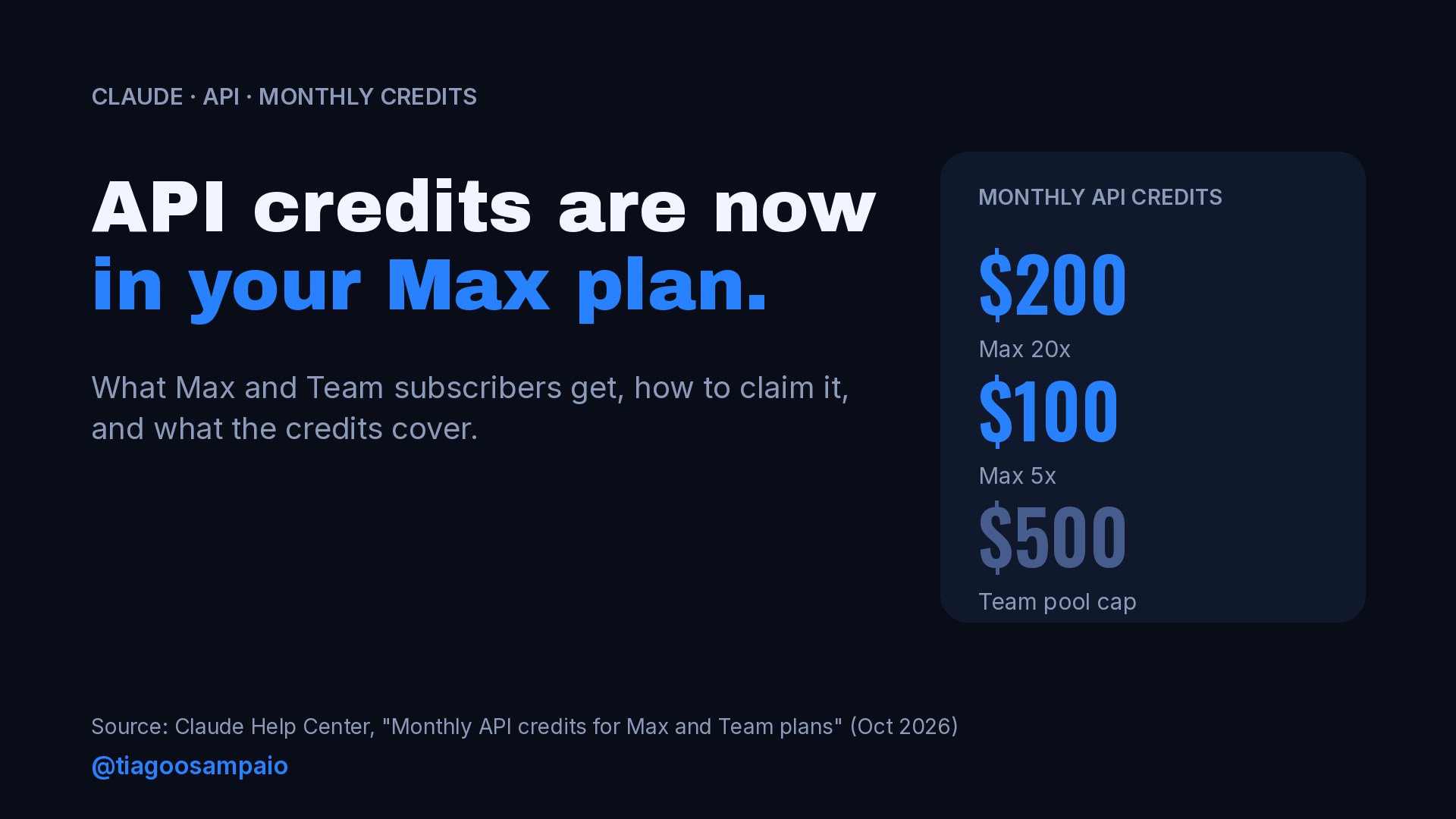
Anthropic now gives Claude Max and Team subscribers a monthly balance of Claude API credits, on top of the plan itself. On Max 20x, the plan I use, that is $200 a month. On Max 5x it is $100.
Until now, the subscription and the API were separate things. This changes the math. A prototype, a batch job or a small internal agent can now run on credits that come with the subscription, as long as you claim them and use them before they expire.
The details matter, though. These credits don’t cover interactive Claude Code, they don’t roll over, and they only land in one Console organization. Here is what the support article says, how to claim them, and what I would do with them as a developer.
How much each plan gets
| Plan | Monthly API credits |
|---|---|
| Max 5x | $100 |
| Max 20x | $200 |
| Team, Standard seat | $20 per seat |
| Team, Premium seat | $100 per seat |
| Free, Pro, Enterprise | Not eligible |
On Team plans, the credits for all seats go into one pool. In Anthropic’s words, they are “pooled into one monthly balance, capped at $500.” The article’s example: three Standard seats and two Premium seats give $260 a month. Discounted Team plans for nonprofits and scientists get the same per-seat amounts.
Pro is not included. If you are on Pro and want these credits, the article is clear: only Max and Team plans are eligible.
How to claim them
The credits are not added automatically. You link your subscription to a Console organization once:
- On claude.ai, open Settings > Billing. On Team, the Owner or Primary Owner opens Organization settings > Billing.
- In the API credits section, select Link organization.
- Choose an existing Console organization, or create a new one.
- Review the Supplemental Credit Terms and click Link organization.
A few conditions apply:
- The subscription must be active and in good standing.
- New subscribers have to wait. The article says you can claim “once they’ve been on an eligible plan for seven days.”
- In the Console, the person claiming needs the Owner, Admin or Billing role.
- If you subscribed through the mobile app, you claim on claude.ai in a web browser.
- Anthropic says the offer is rolling out over a few days, so you may not see it yet.
After linking, the credits show up in that organization’s balance. The Console’s Billing page shows the amount and the expiry date.
What the credits cover, and what they don’t
This is the part most people will get wrong, so it deserves a table.
| Covered | Not covered |
|---|---|
| Claude API: Messages API and Message Batches API | Interactive Claude Code in the terminal, IDE, desktop or web |
| Any available Claude model on the Claude Platform | Claude Code GitHub Action, IDE extension or desktop app runs, even with -p |
| Console Playground | claude -p or Agent SDK runs while signed in with your Claude plan |
| Claude Managed Agents | Extra usage in Claude, Claude Code or Claude Cowork |
| Claude Agent SDK | Claude on Amazon Bedrock, Google Cloud Vertex AI or Microsoft Foundry |
claude -p and Agent SDK runs with an API key from the linked organization |
The line between the two columns is simple once you see it. Your plan pays for you using Claude. The credits pay for things you build that call Claude through an API key. Anthropic’s FAQ says the same: the credits are for building your own apps and agents.
The claude -p case is the one to watch. The article says the credits cover it “when you run them yourself with an API key.” If the same command runs while you are signed in with your Claude plan, it draws on your plan limits instead.
The rules that matter
Before you plan anything around these credits, know the limits:
- They expire every cycle. “Unused credits expire at the end of each billing cycle.” There is no rollover. Annual plans still receive them monthly.
- They are spent first. Monthly credits are used before any credits you bought.
- One organization only. “You can link only one Console organization, and each Console organization can receive credits from only one plan.” Changing the link requires support.
- Shared inside the organization. Every member with an API key in the linked organization draws from the same balance. On Team, owners can set workspace spend limits in the Console.
- No card needed. “You don’t need to add a card on Claude Platform to claim or use the credit.”
- When they run out, requests stop. “If the organization has no other credits, API requests stop until your next monthly credits arrive.” Nothing is charged to your Claude plan. If the organization has purchased credits or auto-reload, usage continues on those.
That last rule is a nice safety net for experiments. With no card and no purchased credits, a runaway loop can’t produce a surprise bill. It just stops. The exception is an organization invoiced through Anthropic sales, where usage beyond the credits is billed as usual.
My own advice: link a separate Console organization for the credits instead of your production one. You keep the included balance for experiments, and a production integration never stops because a test script used up the month.
A first API call
If you have never called the API directly, this is the smallest test. Create an API key in the linked organization, then:
curl https://api.anthropic.com/v1/messages \
  -H "x-api-key: $ANTHROPIC_API_KEY" \
  -H "anthropic-version: 2023-06-01" \
  -H "content-type: application/json" \
  -d '{
    "model": "claude-sonnet-5-5",
    "max_tokens": 512,
    "messages": [
      {"role": "user", "content": "Explain Magento indexers in three sentences."}
    ]
  }'
Then open the Console’s Billing page and check that the usage is drawn from the monthly credits.
What I would build with $200 a month
This is my opinion, from the work I do with Magento and Adobe Commerce stores. The credits are best for things that run on their own, outside an interactive session:
- A read-only shopping agent pilot. I wrote about Anthropic’s commerce agent blueprint this week. A search-and-product-details pilot over a staging catalog is a good fit for a monthly API budget.
- Catalog content jobs. Product descriptions, meta descriptions and attribute cleanup for thousands of SKUs are batch work, and the Message Batches API is covered.
- Code review or upgrade checks in CI. A script that reviews a pull request with an API key falls under the credits. The Claude Code GitHub Action does not, according to the article, so build it with the API or the Agent SDK instead.
- Small internal agents. Log summaries, order exception triage, or a daily report from the Magento API, built with the Agent SDK.
The limit is clear too. If most of your Claude use is interactive Claude Code, these credits won’t change much for you. Your plan already covers that, and the credits can’t be used for it.
A quick checklist
- Check your plan: Max 5x gets $100 a month, Max 20x gets $200, Team gets $20 or $100 per seat with a $500 pool cap.
- Wait seven days if you just subscribed.
- Link one Console organization from claude.ai Billing, ideally one used only for experiments.
- Create an API key in that organization and make a test call.
- Confirm in the Console that usage comes from the monthly credits.
- Use them within the cycle. They don’t roll over.
What would you build first if your Claude subscription came with a monthly API budget?
Sources
- Monthly API credits for Max and Team plans, Claude Help Center
Leave a Reply