You send one message to ChatGPT or Claude. It reads twenty or more. Neither of them remembers your chat: every new message goes in with the whole conversation behind it. On Claude, that is why so many people see “you’ve reached your usage limit” before lunch, and it has little to do with how much they ask. The same plan can last a lot longer once you change how you organize your chats. No upgrade, no extra cost.
I use Claude all day as a tech lead for US clients, and running out in the middle of a task is the worst moment for it to happen. A rule you memorize gets forgotten the first busy day. A rule you understand sticks. So before the habits, let’s look at how the model actually reads your conversation, do the math, and check what Anthropic itself says.
This is episode 3 of AI Without the Mystery. If the word “token” still sounds vague, start with What Is a Token? How Claude and ChatGPT Read, Count and Charge for Your Text. The short version: AI models read text in small pieces called tokens, and the more tokens Claude has to process, the more of your limit goes.
ChatGPT and Claude don’t remember your chat. They reread it.
When you chat with ChatGPT or Claude, it feels like talking to someone who remembers what you said five minutes ago. Under the hood, it works differently.
Anthropic’s developer documentation is direct about it: “The Messages API is stateless, which means that you always send the full conversational history to the API.” The Messages API is the interface programs use to talk to Claude. “Stateless” means the model keeps nothing between one message and the next. Every time a new message goes in, the whole conversation so far goes in with it.
OpenAI, the company behind ChatGPT, describes its API the same way: “each text generation request is independent and stateless”, so a multi-turn chat works by sending the earlier messages along with each new request.
In practice:
- Message 1: the model reads message 1.
- Message 2: the model reads messages 1 and 2.
- Message 20: the model reads all 20.
Your new question may be one line. What gets processed is that line plus everything above it: the long email you pasted at the start, the code you asked about an hour ago, the side question about something else entirely.
Both quotes describe the APIs, and the ChatGPT and Claude apps have their own layers on top. For Claude, the app’s help center points the same way, as you will see below: the longer the conversation, the more of your limit each message uses.
The math: one long chat vs four short ones
Let’s put numbers on it. This is an illustrative calculation with round numbers, not a measurement of the Claude app. Assume every message in the conversation is about 500 tokens, and that each new message makes the model process everything before it plus itself.
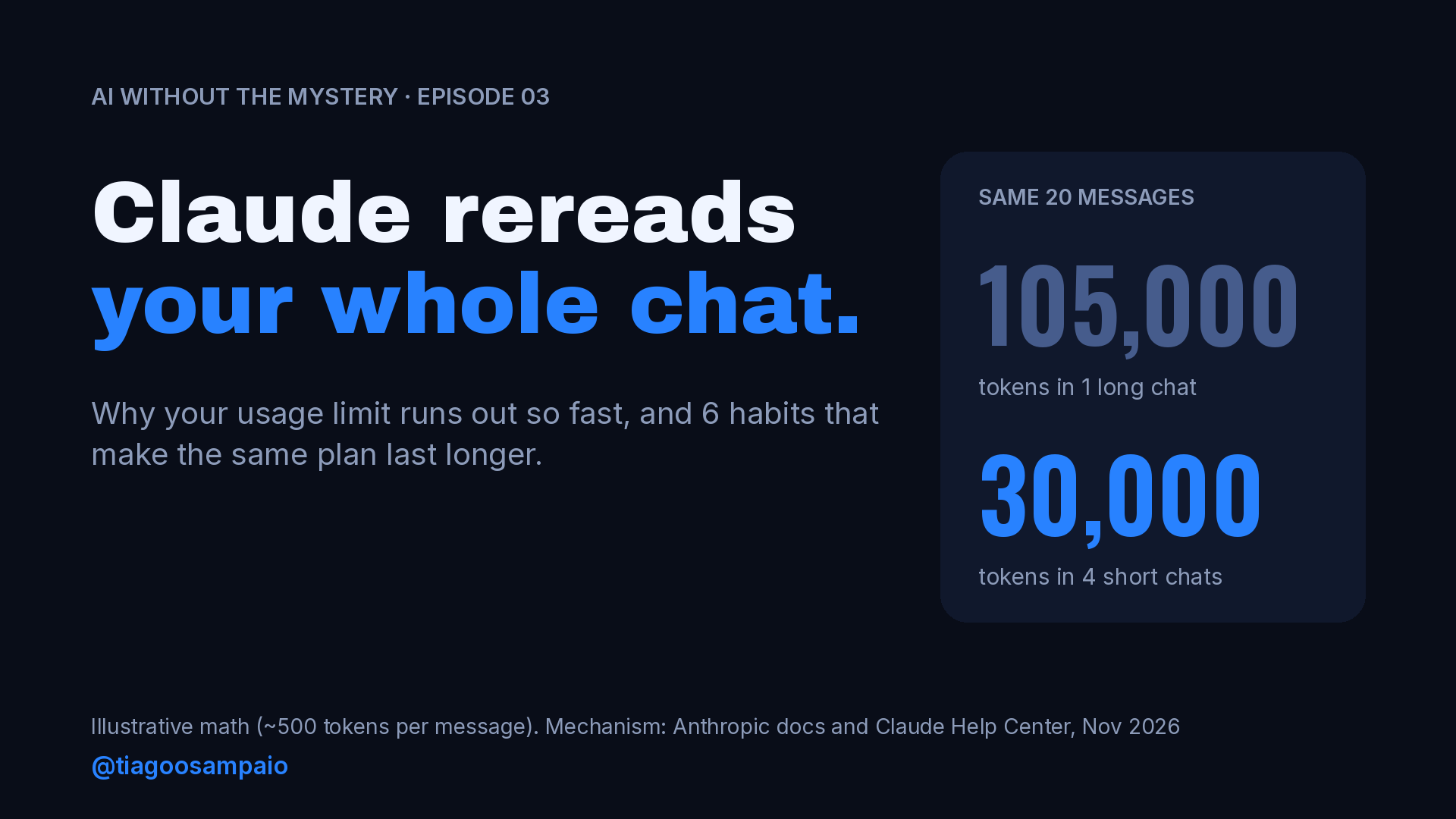
One long chat with 20 messages. Message 1 processes 1 message, message 2 processes 2, and so on up to 20. That is 1 + 2 + … + 20 = 210 messages processed. At 500 tokens each: 105,000 tokens.
Four short chats with 5 messages each. Each chat processes 1 + 2 + 3 + 4 + 5 = 15 messages, so 7,500 tokens. Four chats: 30,000 tokens.
| Scenario | Messages you send | Messages processed | Tokens processed (illustrative) |
|---|---|---|---|
| 1 long chat | 20 | 210 | 105,000 |
| 4 short chats of 5 | 20 | 60 | 30,000 |
| Difference | same | 3.5x fewer | 75,000 fewer |
Same number of messages. More than three times fewer tokens.
The growth is not linear. Every new message in a long chat costs more than the one before it, because it carries a longer history. That is why the limit seems fine all morning and then disappears in the afternoon, in the same conversation where you have been working since 9 a.m.
Real chats are messier: messages have different sizes, answers are often longer than questions, and the platform has optimizations, which I cover below. The shape of the curve is the point.
What Anthropic’s help center says
You don’t need to take my math on faith. Anthropic’s help center lists what makes your usage go up, and conversation length is on the list.
The English best-practices page names “Current conversation length” among the factors that affect your usage limits, along with tool usage such as Research and web search.
The Portuguese page on usage and length limits goes further. In my translation, it says:
- Longer conversations that trigger automatic context management use more of your usage limit.
- Tools and connectors use many tokens.
- Higher effort uses more tokens.
- If your Claude has the thinking toggle, turn it off when you don’t need Claude’s enhanced reasoning.
- Try starting a new conversation if you are approaching your usage limit in a longer chat.
“Automatic context management” deserves one line. When a chat gets close to the maximum amount of text the model can handle at once (the context window), the same page says Claude summarizes earlier messages so the conversation can continue. Useful, but the help center is clear that conversations long enough to need it eat more of your limit.
Where caching helps (and where it doesn’t)
Here is the catch. If every message rereads everything, why isn’t it even worse? Because the platforms do optimize, and one of the main tools is the cache: when the same content shows up again, part of the work can be reused instead of done from scratch.
In the Claude app, Projects are where you see it. A Project is a workspace in Claude where you keep files and instructions that every chat inside it can use. The best-practices page says: “Content in projects is cached and counts less against your limits when reused.” Two details from the same page matter: caches expire after a period of inactivity, and if you come back to a project after a long break, your first message counts that content in full again. So the saving is biggest when you work with the same files several times in the same stretch of work.
On the API, it has a price tag. Developers can use prompt caching. According to Anthropic’s pricing page, a cache read costs 0.1x the base input price on most models, and some newer models go lower: Claude Opus 5.5, for example, is listed at 0.05x. Writing to the cache costs more than a normal input (1.25x for a 5-minute cache, 2x for a 1-hour cache), so caching pays off when the same content is reused.
Caching makes rereading cheaper. It does not make a long chat free. Habit 3 below is how you put this optimization to work for you.
6 habits that make your Claude limit last longer
The first one is the easiest. The last one is the one that helps the most. I’ll mark clearly what comes from Anthropic and what is my own advice.
1. Turn off tools and connectors you are not using
Connectors link Claude to your other apps (Google Drive, email, calendar), and tools like web search let it fetch information. Many people leave them all on “just in case”. The help center says tools and connectors use many tokens. Turn on what the task needs, and turn it off after.
2. Match thinking and effort to the task
To fix a comma, you don’t need the mode that thinks before it answers. The help center says higher effort uses more tokens and recommends turning off the thinking toggle when you don’t need enhanced reasoning. Save deep thinking and high effort for the problems that deserve them. If you want more on picking the model and effort for a task, I wrote about it in Claude Fable 5.2: When the Strongest Model Is Worth It.
3. Put the files you reuse in a Project
That 40-page PDF you upload again every time you need to ask something about it: put it in a Project. Project content is cached and counts less when reused, per Anthropic. Group your questions about it in the same work session, since the cache expires after inactivity.
4. Send one complete request instead of five
Five short messages (“make it shorter”, “now more formal”, “add a closing”, “actually, in English”) means five rounds of rereading. Anthropic’s best-practices page recommends planning the conversation, giving clear and detailed instructions in each message, grouping related tasks in a single message, and reviewing your message before sending it to avoid follow-ups. Write the full request once: context, what you want, format, tone, length.
5. Check Settings > Usage
Stop guessing. In Settings > Usage, the help center says you can see progress bars showing how much of your five-hour session and weekly limits you have used. Check it after a heavy task and you’ll learn quickly which of your habits cost the most.
6. One topic, one chat (the one that helps the most)
You reviewed a client email, then asked for a cake recipe in the same chat, then the summary of a meeting. Now every new message makes Claude reread the email and the cake.
My rule: when the subject changes, open a new chat. And when a conversation that matters gets long, ask Claude for a summary of the decisions and the current state, then start a new chat with that summary. You keep the context and drop the weight.
To be precise about the source: Anthropic’s own tip is to start a new conversation when you are approaching your limit in a long chat. “New chat per topic” and “carry a summary” are my habits, built on the mechanism above.
I left it for last because, in my view, it is the one that helps the most. It is the math above in practice: the same 20 messages in four short chats instead of one long one, 30,000 tokens instead of 105,000 in the example.
A note for developers using the API
If you build on the API, the stateless model is something you handle yourself: your code sends the full history on every request, and you pay for those input tokens. Prompt caching is the main lever to make the repeated part cheaper.
There is now a second option. The same working with messages page says that with message threads, in beta, the API can keep the conversation, so each later request sends only the new messages. A thread expires 5 minutes after its last request and is deleted no more than 1 hour after its last use. That changes what your code sends. Before assuming it changes what you pay, read the message threads documentation for how it is billed, because the page I checked does not say.
My take, and a checklist before your next chat
My opinion, after a long time using these tools for real work: your limit doesn’t run out because you use Claude too much. It runs out because you use everything in the same chat.
Before your next session, check:
- Which tools and connectors are on, and does this task need them?
- Does this task need thinking or high effort?
- Is there a file I keep uploading that belongs in a Project?
- Can I send this as one complete request?
- What does Settings > Usage say right now?
- Is this chat still about one subject? If not, open a new one.
- Is this conversation long? Ask for a summary and continue in a new chat.
And if you write in Portuguese, there is one more factor in how fast tokens add up: Why Portuguese Costs More Tokens Than English (and Why the Gap Is Shrinking).
When a chat gets long, do you keep going or start a new one? What made you decide?
Sources
- Anthropic, Working with the Messages API (stateless history, message threads beta): https://platform.claude.com/docs/en/build-with-claude/working-with-messages
- OpenAI, Conversation state (each request is independent and stateless): https://developers.openai.com/docs/guides/conversation-state
- Claude Help Center (PT), Compreendendo limites de uso e comprimento: https://support.claude.com/pt/articles/11647753-compreendendo-limites-de-uso-e-comprimento
- Claude Help Center (EN), Usage limit best practices: https://support.claude.com/en/articles/9797557-usage-limit-best-practices
- Anthropic, Pricing (prompt caching multipliers): https://platform.claude.com/docs/en/about-claude/pricing
- The 105,000 vs 30,000 calculation is illustrative arithmetic, not a measurement.
Leave a Reply